Betonly App Nigeria 2026: Download, Install & Start Playing
How do you get the Betonly app on your Android phone? Is there an APK file available for Nigerian users? Does the app support OPay and Flutterwave for NGN deposits? These are the questions most players ask before installing. The answers are straightforward: betonly distributes its Android APK directly from the official website at betonly.bet — no Google Play required. Operated by Shade International Entertainment Limited under licence LSLGA/OP/OSB/BO 010505 issued by the Lagos State Lotteries and Gaming Authority, the platform has been running since 2020. The full catalogue of 2,922 games is accessible through the app, with NGN as the primary currency. This guide covers everything: the bet only app download process, APK installation steps, available games, and payment methods. For account access details, visit the bet only page. The app is strictly for players aged 18 and above.
Betonly App Features: What You Get on Mobile
Why download the betonly app instead of using the browser version? The mobile app delivers the full catalogue in a single-scroll, touch-optimised interface built for Nigerian mobile traffic — 3G and 4G connections included. All four payment operators (Flutterwave, Paystack, OPay, Monnify) work inside the app, so you never need to switch to a desktop to fund your account. The app also sends push notifications for ACCA bonus updates and promotions, which the desktop site cannot match.
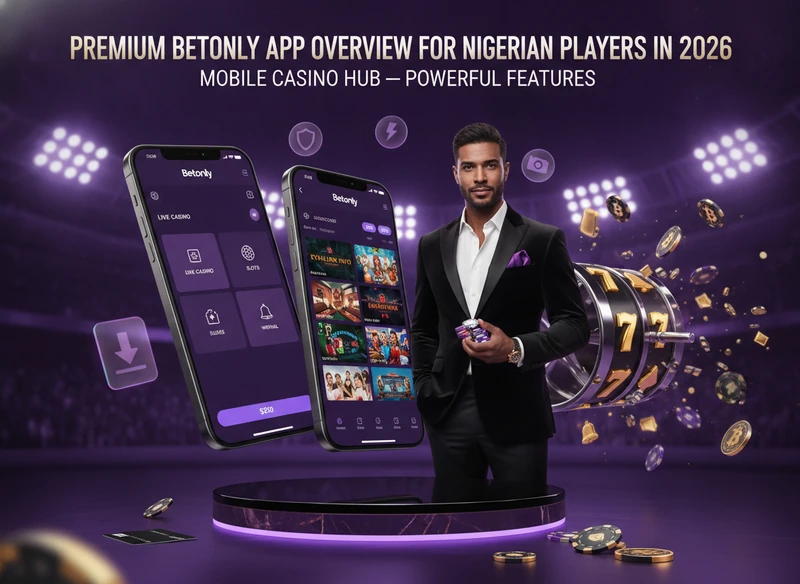
The feature set makes the bet only app a practical alternative to the desktop site for everyday play. Below is a direct comparison of what each version offers.
Desktop vs Betonly App: Key Differences
The desktop site and the mobile app share the same game catalogue, but the experience differs in meaningful ways. Crash games like Aviator and Spaceman run more smoothly on the app — the single-scroll layout suits fast-round gameplay far better than a wide multi-panel desktop screen. Live casino tables from Evolution Gaming and Ezugi are available on both, though the larger desktop screen gives a clearer view of dealer feeds. For Nigerian players on mobile data, the app is the practical daily choice.
| Feature | Desktop | Betonly App |
|---|---|---|
 Game catalogue Game catalogue | Full 2,922 titles | Full 2,922 titles |
| Crash games (Aviator, Spaceman) | Available | Optimised for mobile |
 Live casino (Evolution, Ezugi) Live casino (Evolution, Ezugi) | Full HD, wide layout | Functional, smaller screen |
 Payment methods Payment methods | All 4 operators | All 4 operators |
 Push notifications Push notifications | No | Yes |
| Screen layout | Wide, multi-panel | Single-scroll, touch-optimised |
Game catalogueLive casino (Evolution, Ezugi)Payment methodsPush notificationsAccount Login via the Betonly App
Logging in through the betonly login app follows the same credentials as the website: your registered email or phone number plus your password. KYC verification — which may include NIN, BVN, and a government-issued ID — is integrated directly into the app flow and becomes mandatory before your first withdrawal. For a full walkthrough of the login process, see the betonly Nigeria.
Betonly App Download for Android: Step-by-Step APK Guide
The betonly app download for Android works differently from most apps — Betonly distributes the APK file directly from betonly.bet, bypassing the Google Play Store. This is standard practice for Nigerian gambling apps. Your Android device needs to allow installation from unknown sources before the file can run. Where exactly do you get the latest APK, and what could go wrong during installation? The steps and fixes are below. The 2026 version of the app is the current release.
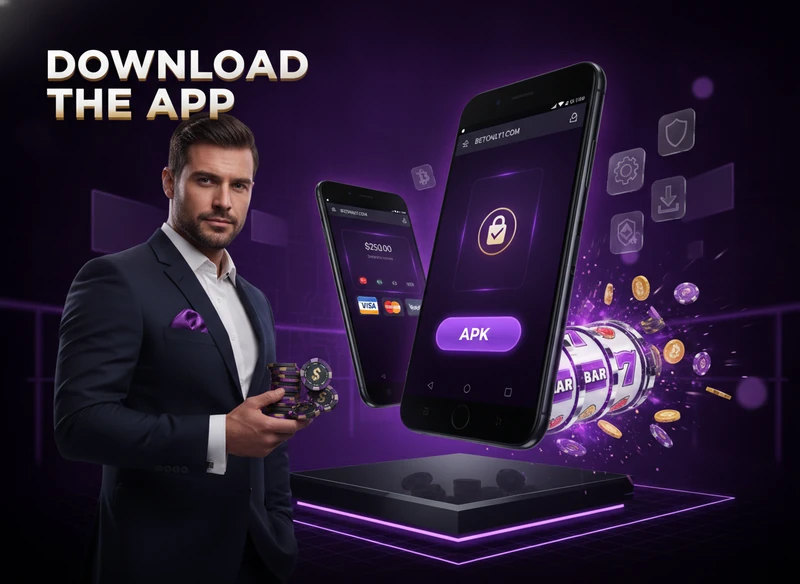
How to Download and Install the Betonly APK on Android
The betonly app download apk process takes roughly 30 seconds once the file is on your device. Grab the betonly app download latest version from the official site — never from third-party mirrors, which may carry modified files. Follow these steps exactly:
After the first launch, KYC verification may be prompted when you attempt your first withdrawal — have your NIN, BVN, and ID document ready. Enabling unknown sources is a standard Android step when installing APKs from official operator sites; it carries no additional risk when the file comes from betonly Nigeria. For a full platform overview, the official site is the starting point.
Common Installation Errors and How to Fix Them
Most installation problems have a quick fix. If the download betonly app process stalls or the app refuses to open, one of these five issues is usually the cause. The bet only app download fails in predictable ways — and each has a direct solution:
Popular Games in the Betonly App for Nigerian Players
Nigerian players strongly favour crash games and fortune-style slots — fast rounds, low data usage, and NGN bets make them natural fits for mobile play. The betonly app carries 2,922 titles from 33 providers, including Spribe, EvoPlay, Pragmatic Play Live, Evolution Gaming, Habanero, Galaxsys, and Kiron Interactive. The betonly app download latest version includes the full catalogue with no titles locked behind a desktop-only restriction. Which titles perform best on mobile for Nigerian users?
- 🎯Goal (EvoPlay) — instant game, football theme, popular across Nigeria
- 🐉Fortune Dragon — fortune-series slot, high volatility
Game Providers Available in the Betonly App
The catalogue draws from 33 confirmed providers. Live casino content comes from Evolution Gaming and Ezugi — both accessible inside the app. Other notable names include Blueprint Gaming, AvatarUX, Habanero, Galaxsys, and Turbo Games. EvoPlay supplies a strong selection of instant titles that load quickly on 3G connections, making them particularly suited to Nigerian mobile conditions.
Virtual and Instant Games in the Betonly App
The catalogue includes 26 virtual sports titles from SoftConstruct and Kiron Interactive. These games run on pre-rendered outcomes rather than live streams, which means they consume significantly less data than live casino tables. For Nigerian players with limited mobile data or patchy 4G coverage, virtual games are a practical alternative to Evolution Gaming live tables — rounds complete in under two minutes and the app handles them without buffering.
"Aviator on the Betonly app loads fast even on 3G. I play daily."
— Emeka O., Lagos, March 2026
Payment Methods in the Betonly App: Deposits and Withdrawals
The betonly app connects to four payment operators: Flutterwave, Paystack, OPay, and Monnify. All transactions run in NGN. What should you know before making your first deposit through the app? The key point is that an unplayed deposit may be blocked or subject to a penalty of at least 90% — so always intend to use deposited funds for gameplay.
| Method | Operator | Currency | Notes |
|---|---|---|---|
 Visa / Mastercard / Verve Visa / Mastercard / Verve | Flutterwave, Paystack | NGN | Standard card payments |
 Mobile Wallet Mobile Wallet | OPay, Monnify | NGN | Fast mobile transfers |
| Internet Banking / ATM Transfer | Flutterwave, Paystack | NGN | Bank-to-bank transfer |
 PayDirect (Bank Branch) PayDirect (Bank Branch) | Monnify | NGN | In-person deposit option |
| Withdrawal to Bank Account | Flutterwave, Paystack | NGN | KYC required (NIN, BVN) |
Visa / Mastercard / VerveMobile WalletPayDirect (Bank Branch)Our review process for Betonly
Data in this review comes from the operator's official site and goes through a manual check by our editors.
- •Withdrawal process
- •Customer support
- •Operator (legal entity)
- •Bonus terms
- •Available currencies
- •License
- •Operator's KYC requirements
- •Mobile app